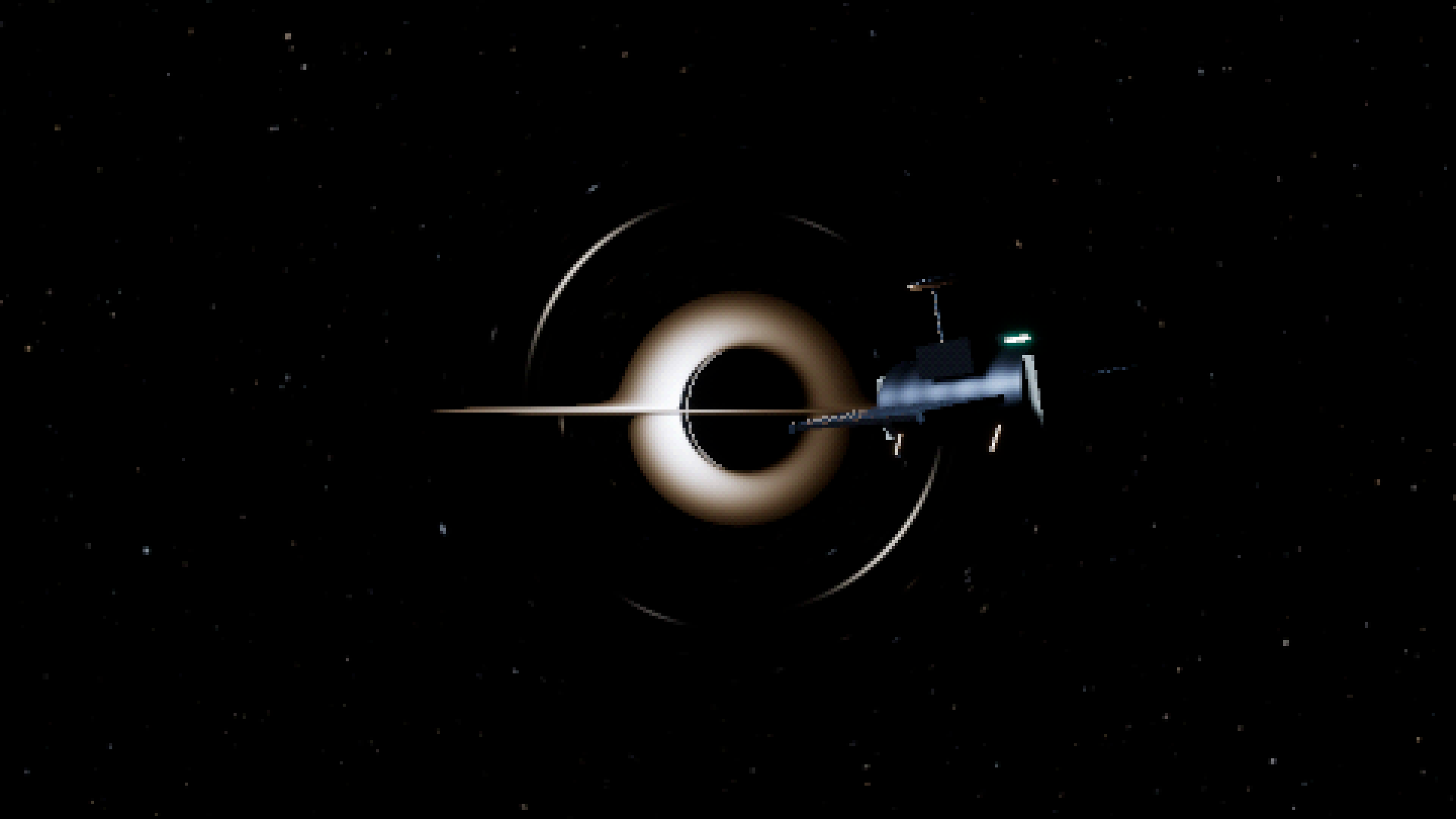
I made a black hole in Rust.
Then I filmed the screen through my phone’s telephoto camera for added effect. I also accidentally recorded thirty seconds of it in 8K, which produced roughly 300 MB of video.
An unnecessarily thorough record of my monitor.
The project is called Journey to a Black Hole. It’s an interactive rendering experiment built with Rust and Bevy. You can fly around, look above and below the disk, switch between non-spinning Schwarzschild and spinning Kerr geometry, and inspect some of the rays behind the image.
Move sideways
The interesting part happens when you move.
From almost edge-on, the disk has a thin direct image and parts that appear to curl above and below the dark center. Change your position and those shapes change with you. The stars bend around it too.
That makes moving sideways a surprisingly useful activity.
The camera has free movement and roll, plus a few preset views for finding the interesting angles. There is also a guided flight. It moves the same camera through the same scene, and touching the movement controls or mouse-look lets you take over from where you are.
The astronomical shader doesn’t know which preset you selected or how far through the journey you’ve travelled. It gets the observer’s position and direction, then works out the view.
Underneath the pixels
For each astronomical pixel, the renderer follows a numerical light ray through the chosen geometry. A ray can reach the stars, intersect the disk, be captured, or run out of its allotted calculation steps.
Schwarzschild and Kerr have separate numerical paths. Switching between them lets you compare the non-spinning case with a spinning black hole, including changes in the shadow and the disk’s inner edge.
The disk’s light uses a temperature profile and approximations for gravitational redshift and the effects of orbital motion. The equations and their limitations are in the math notes, if your idea of a pleasant afternoon involves checking sign conventions.
There is another experiment sitting on top of all this: the deliberately coarse presentation.
The scene is rendered with continuous geometry and HDR lighting, then reduced into a lower-resolution image with adjustable tonal levels and dithering. The nearby probe has smooth surfaces and ordinary physically based materials underneath that treatment.
Press F7 and you can remove the quantized presentation while keeping the same scene and lighting. It is a useful way to see what the pixels are doing to the image.
The less cinematic buttons
There is a ray inspector. You can replace the stars with a celestial grid, turn off the disk, or highlight rays that have exhausted their calculation budget.
That last one turns them magenta.
It is difficult to maintain much cosmic mystery when the renderer is pointing out its unfinished homework in bright pink.
Those controls matter because an attractive image can conceal a numerical problem. Near the narrow boundary between captured and escaping rays, some paths can still exhaust the budget even at the highest quality setting.
There are larger boundaries too. The disk is an analytic emitter, without evolving plasma or fluid dynamics. The foreground probe uses conventional projection; it isn’t gravitationally lensed or hidden by the black hole. The camera stays outside the supported external-observer boundary, and the demo doesn’t depict the interior.
Those are part of the current project, alongside the parts that work. The rendering notes go into more detail.
Try it
The demo is free on itch.io, with the source and Windows download on GitHub.
The tested setup is Windows/Vulkan on an RTX 4060. Other hardware and backends are unverified, and there isn’t a playable browser build yet.
Start with the nearly edge-on view. Move sideways. Turn the disk off and put the grid on if you want to see the distortion more clearly.
Recording your monitor in 8K is optional.